Continuing your membership after a promotional period
Existing members who joined with a Partner code, can renew their services by selecting a new product, and providing a payment method under their existing MyForbes portal access.
If your membership has expired, please email info@concierge.forbes.com.au to alert us you have updated your payment method, and we will arrange the recharge and subsequent account reactivation where required.
1. Login to your to your MyForbes portal, here. Use your email address you signed up to Forbes Australia with. If you haven’t a password, please follow the Forgot Password prompts to reset your password.
2. Once logged in; Navigate to Memberships and select the membership type you would like to renew.
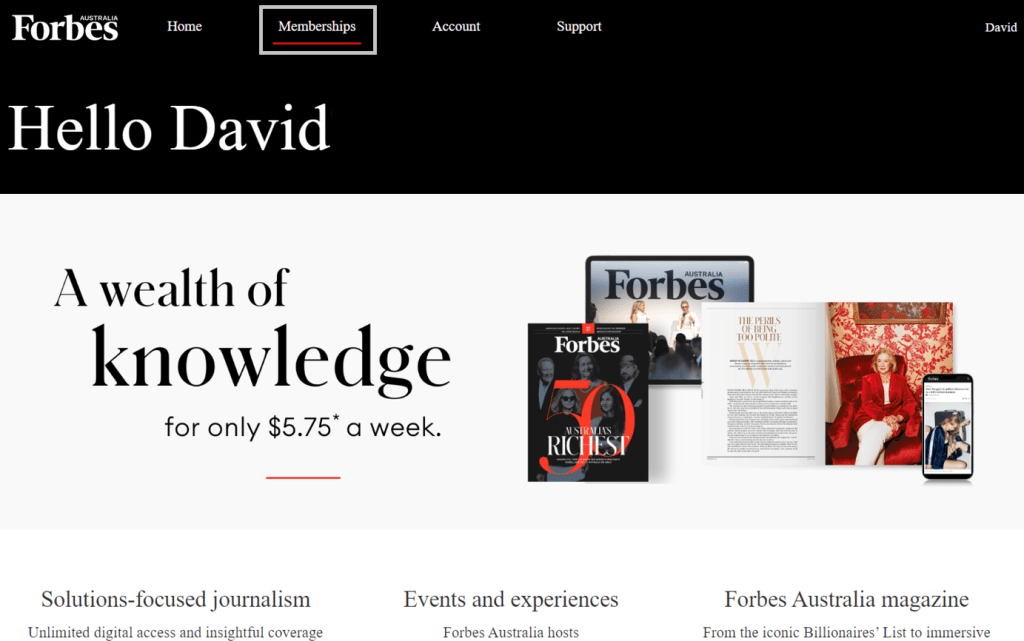
3. Once the product is selected, you will be taken directly to the payment option screen. If you have been provided a new partner or promotional code, please enter it, then tick the option box; I want to use a different payment method. You will then be able to fill in the details of your credit card.
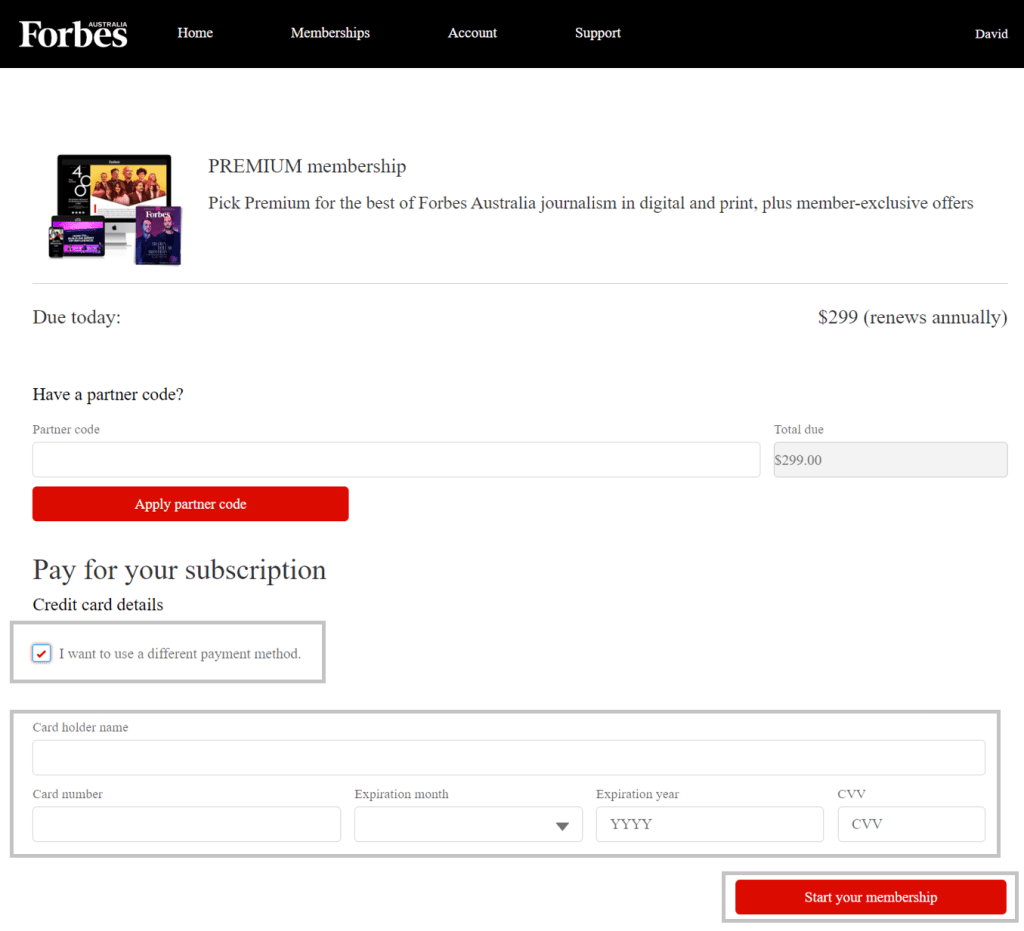
4. When you are ready to confirm the payment details, click the start your membership button, and follow the prompts to finalise your membership.
If your membership has expired prior to you providing a new payment method, please email info@concierge.forbes.com.au to alert us you have updated your payment method, and we will arrange to charge your new payment method and the account reactivation.
Confirmation of payment will be sent to your email.