Want to see more local reporting on startups, billionaire insights, and the latest entrepreneurial – including 30 Under 30? Google has introduced a “Preferred Sources” feature that allows you to customise your top stories with the publishers you trust most.

What is Google’s preferred sources feature?
Preferred Sources is a tool that lets you choose which news outlets appear more frequently in your “Top Stories” results.
Once selected, our articles will appear more often in your primary search results and a dedicated “From Your Sources” carousel.
This allows you to cut through the noise and prioritise the Australian business intelligence that matters to your portfolio and career.
It also gives you the best chance to be among the first to enter and win any promotions and giveaways.
Step-by-Step Guide: Add Forbes Australia as a preferred source
- Visit the Preferences Page: Navigate directly to Google’s Source Preferences page.
- Search for Us: Tap the search icon and type “Forbes Australia”.
- Select & Save: Check the box next to Forbes Australia from the results.
- Reload: Tap “Take me to Google Search” or “Reload Results” at the bottom-right corner.
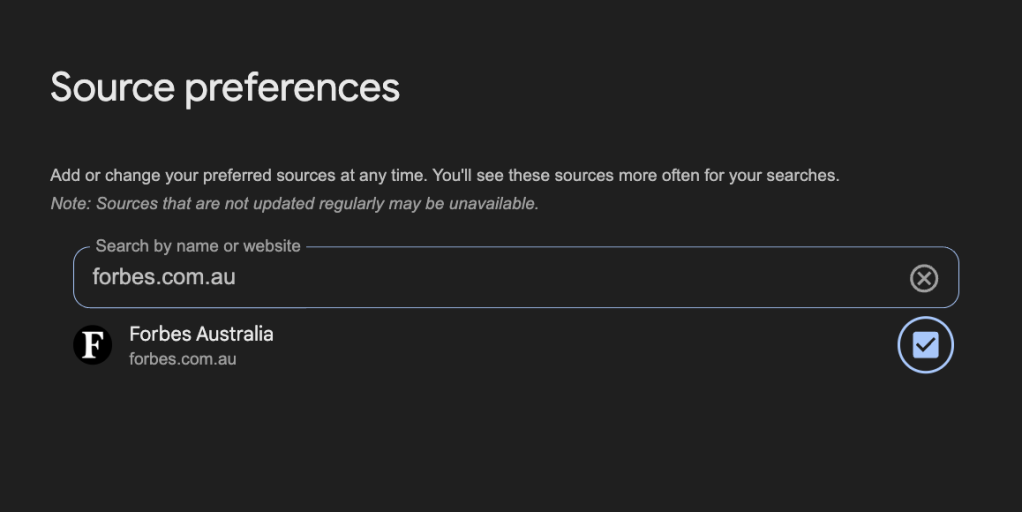
You can also update your preferences directly from any Google search results page:
- Look for the “Star Cards” icon located to the right of the “Top Stories” label.
- Search for Forbes Australia, check the box, and click “Reload Results.”
Look back on the week that was with hand-picked articles from Australia and around the world. Sign up to the Forbes Australia newsletter here or become a member here.