Updating your payment method
Existing members can update thier payment method by accessing the wallet section of the MyForbes account management portal.
You can use this method, prior to your renewal date, or if your membership has expired.
If your membership has expired, please email info@concierge.forbes.com.au to alert us you have updated your payment method, and we will arrange the recharge and subsequent account reactivation.
1. Login to your to your MyForbes portal, here. Use your email address you signed up to Forbes Australia with. If you haven’t a password, please follow the Forgot Password prompts to reset your password.
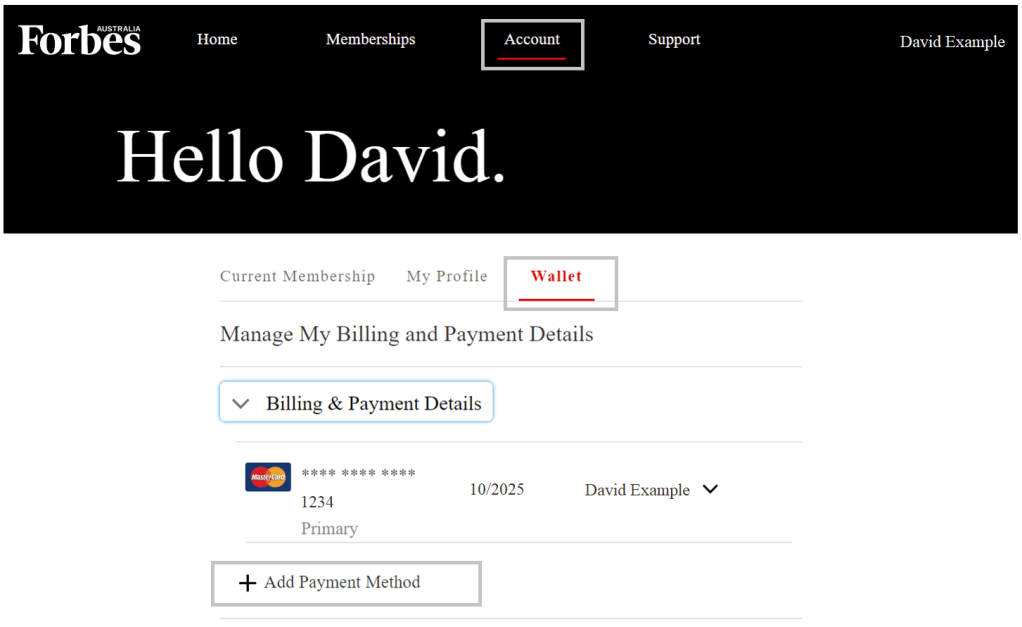
2. Once logged in; Navigate to Account, Wallet, Billing & Payment Details and click on the Add Payment Method option.
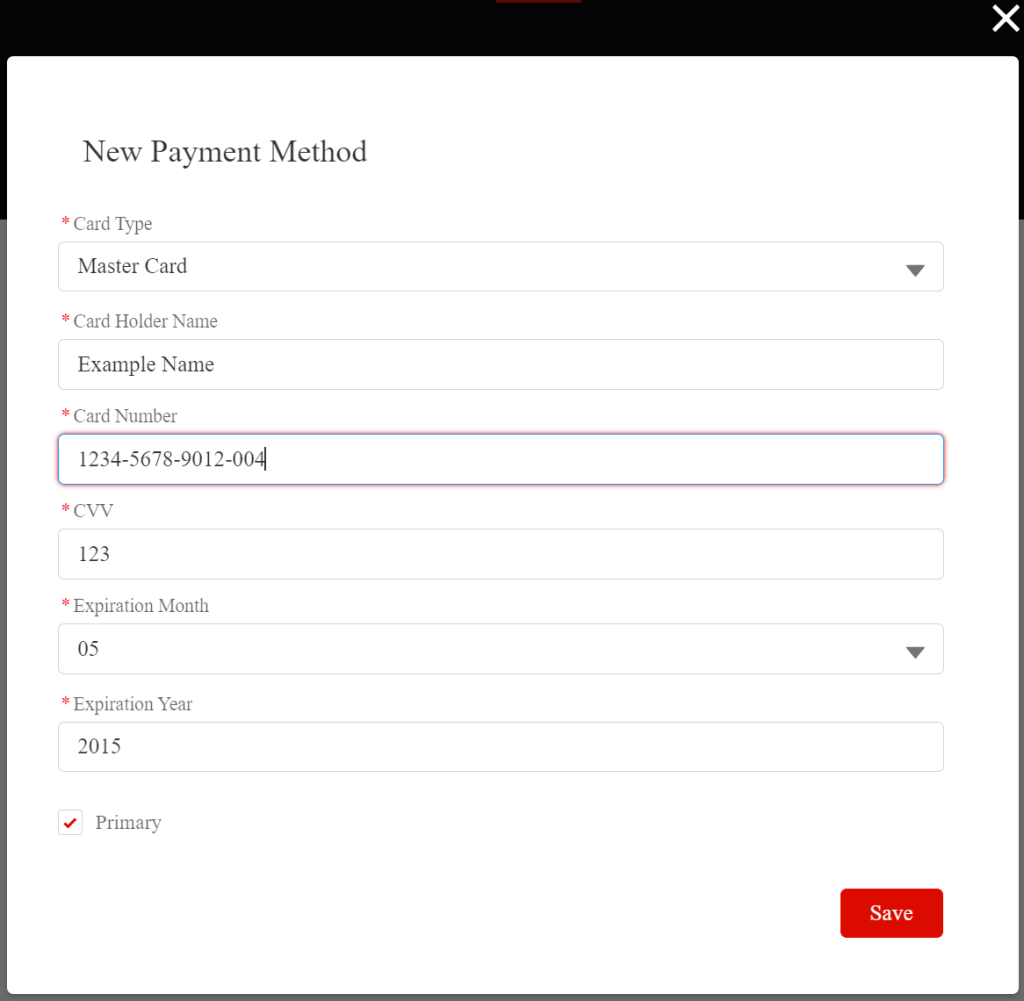
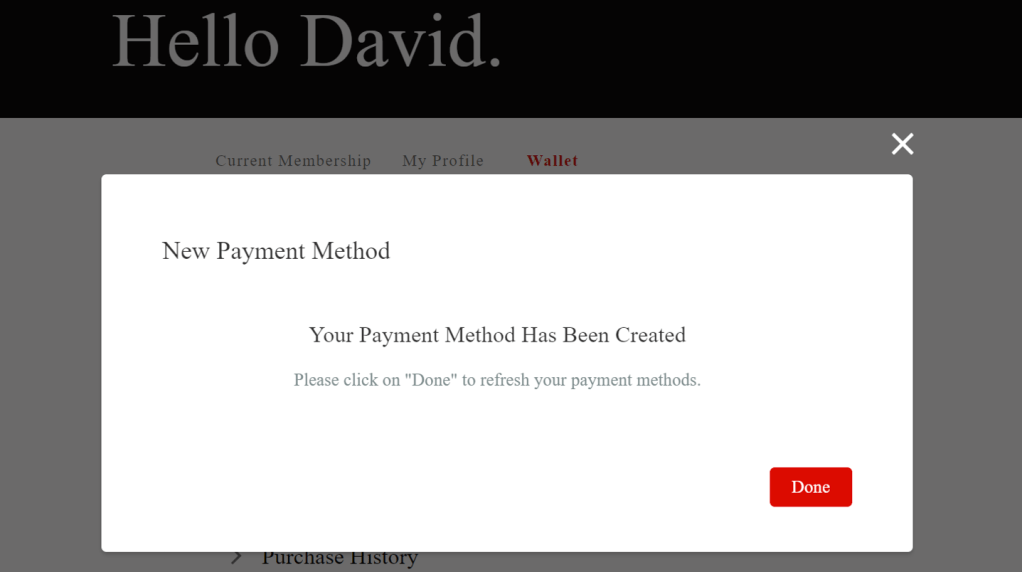
3. Follow the prompts to add a new Credit Card. Please ensure you tick the option Primary. This ensures the new card becomes the primary payment method. Click Save, then Done when the card is confirmed added to our systems.
If your renewal date has not been reached, we will automatically process the payment against your new primary card you have added during the renewal process.
If your membership has expired prior to you providing a new payment method, please email info@concierge.forbes.com.au to alert us you have updated your payment method, and we will arrange to charge your new payment method and the account reactivation.
Confirmation of payment will be sent to your email.